Drives real pages
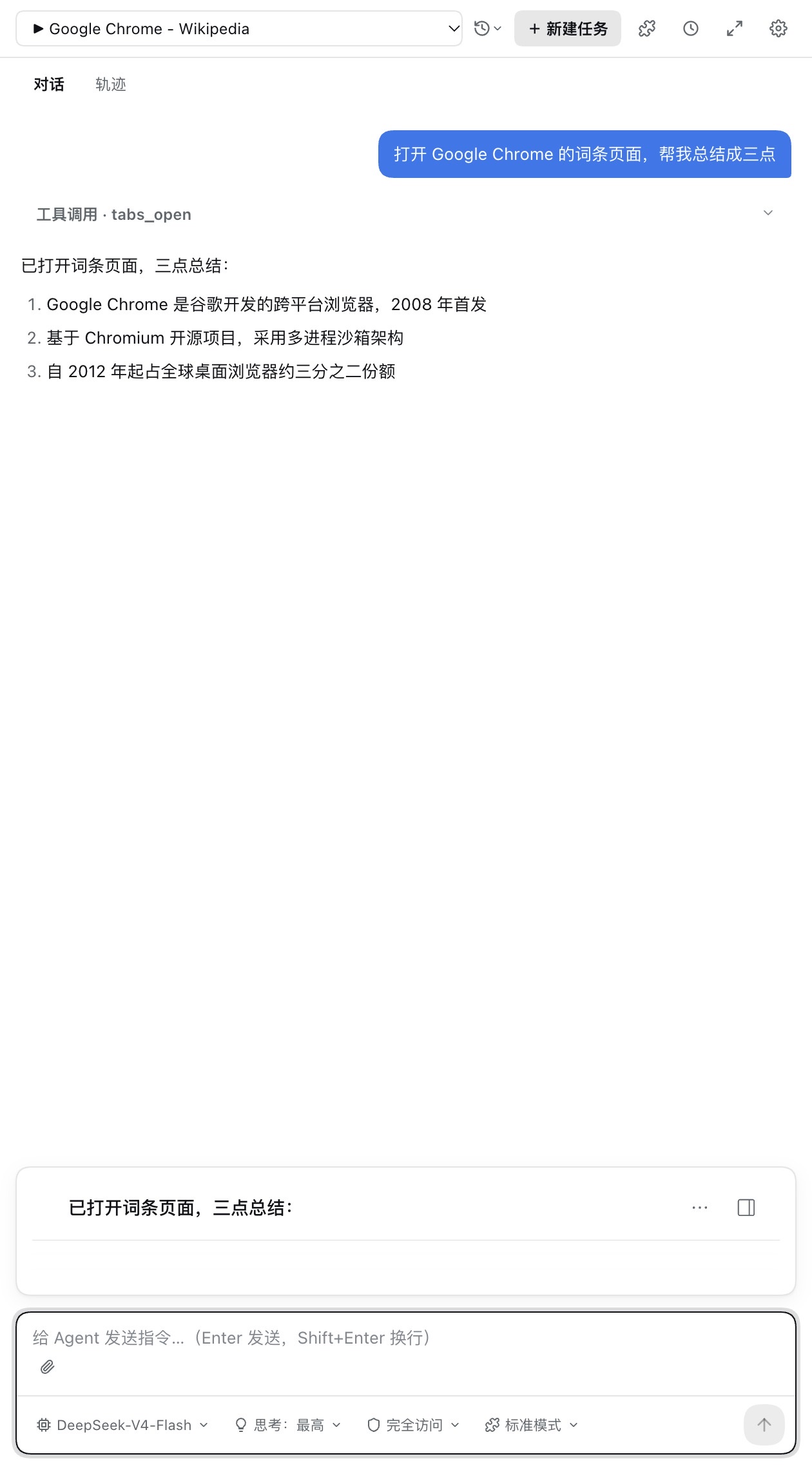
A visible virtual cursor follows Bézier paths, types per keystroke, and scrolls with inertia, piercing Shadow DOM and iframes. Pages are driven through the browser debugging protocol — never OS-level automation.
A browser extension for Chrome and Edge. It opens real pages, fills forms, and extracts content — visibly, and under your approval.
Download openbrowserharness.webstore.zip from Releases and unzip it.
Open the extensions page at chrome://extensions (Edge: edge://extensions).
Enable Developer mode, click Load unpacked, and pick the unzipped folder.
BY THE NUMBERS
HOW IT RUNS
Tasks arrive in plain language: research, fill forms, watch a page. Slash commands, @ subagents, and skill capture are one keystroke away.
Humanized input and a visible cursor operate real tabs — multi-tab management, Shadow-DOM piercing, per-keystroke typing — every step approvable and interruptible.
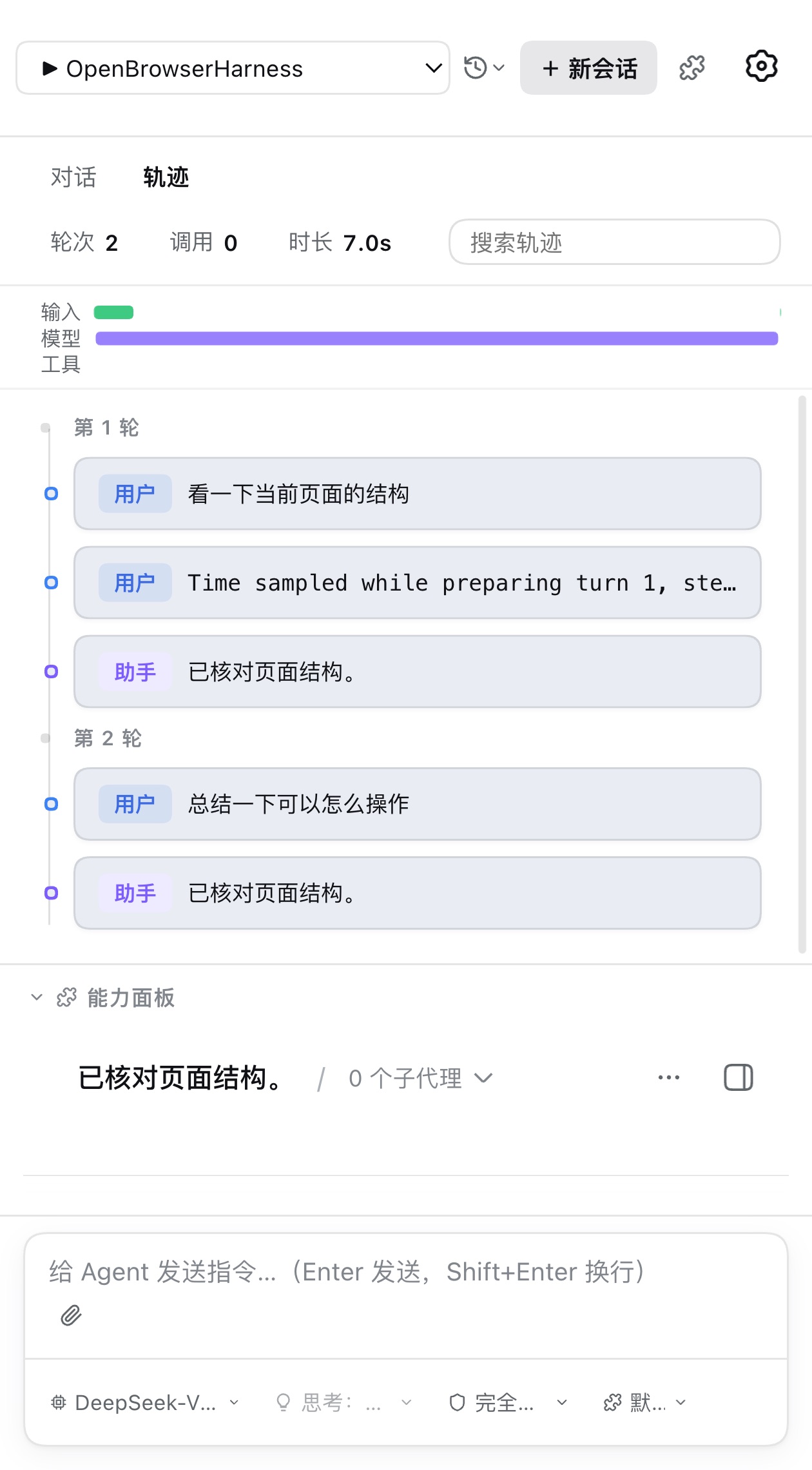
All model-visible input lands in an append-only session log; the trajectory view replays the turn on a timeline, and logs export for review.
DESIGN NOTES
OPERATE
The virtual cursor follows Bézier paths, types per keystroke, and scrolls with inertia. Pages are driven through the browser debugging protocol — never OS-level automation — so every click happens on the real page, visible and interruptible.
LEARN
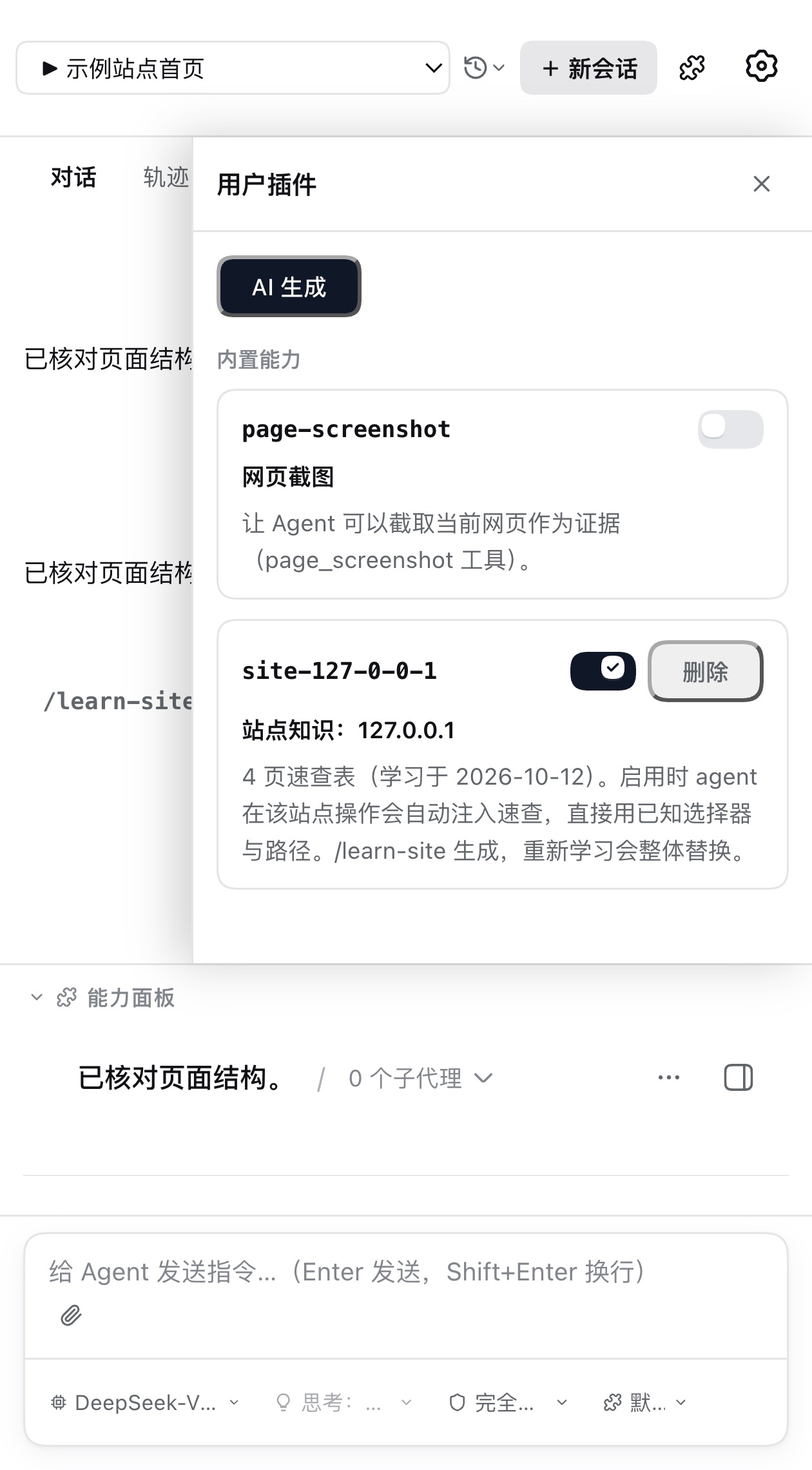
A single /learn-site command mechanically learns a site and its same-origin pages and condenses paths, forms, and stable selectors into a site-knowledge plugin. Return to that site and the cheat sheet enters the model context automatically — it operates by known selectors instead of rediscovering the page, faster and cheaper.
REVIEW
Everything the model sees is recorded in an append-only session log: system prompts, tool calls and results, approval decisions, and every context injection. The trajectory view replays a turn as timeline cards, with input, model, and tool swimlanes showing where the time went — and logs export for review.
PRESETS
Every preset keeps the full tool set and your model route, encoding only its working discipline as a prompt addendum. New sessions start full-access; the shield knob tightens it anytime.
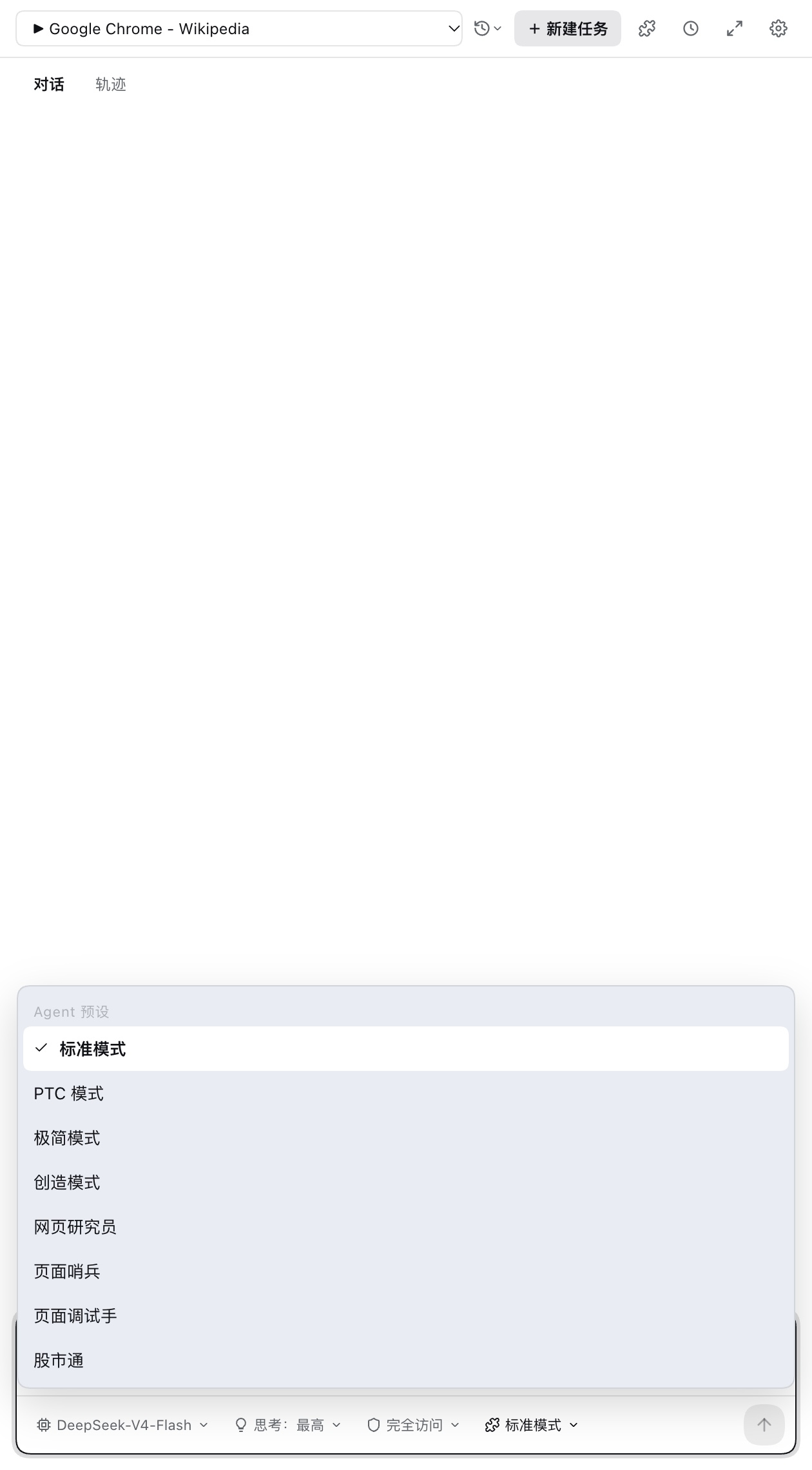
Full tool set: browsing, actions, script checks, site knowledge, plans, subagents
Synthesizes multi-step operations into one program run to cut round trips
Fewest tool calls — one step when one step suffices
Turns a role, working style, and boundaries into a saveable custom preset
Deep reads, multi-source cross-checks, cited conclusions
Watches pages on a cadence, read-only, reports only on change
For developers: read-only DOM and console probing to pin down page issues
Follows finance creators, distills stock and market signals, daily schedule optional
Download the extension, add your model key, and start with your first instruction.